> ## Documentation Index
> Fetch the complete documentation index at: https://docs.escrivalimited.com/docs/llms.txt
> Use this file to discover all available pages before exploring further.
# Deliveries & Live Tracking
The Deliveries module is the heartbeat of the farmer's daily interaction with the Sasini ecosystem. It is designed to be highly responsive, fetching live data directly from the Sasini servers to ensure absolute accuracy and transparency.
## Initializing the Dashboard
When a user navigates to the Deliveries page, the app immediately establishes a secure connection to the Sasini backend.
Because data is never stored statically on the device, the app initiates an API call upon page load. While fetching, the user is presented with our signature **Steaming Cup Loading Indicator**—a beautiful, dynamic animation symbolizing our core commodities: Tea and Coffee.
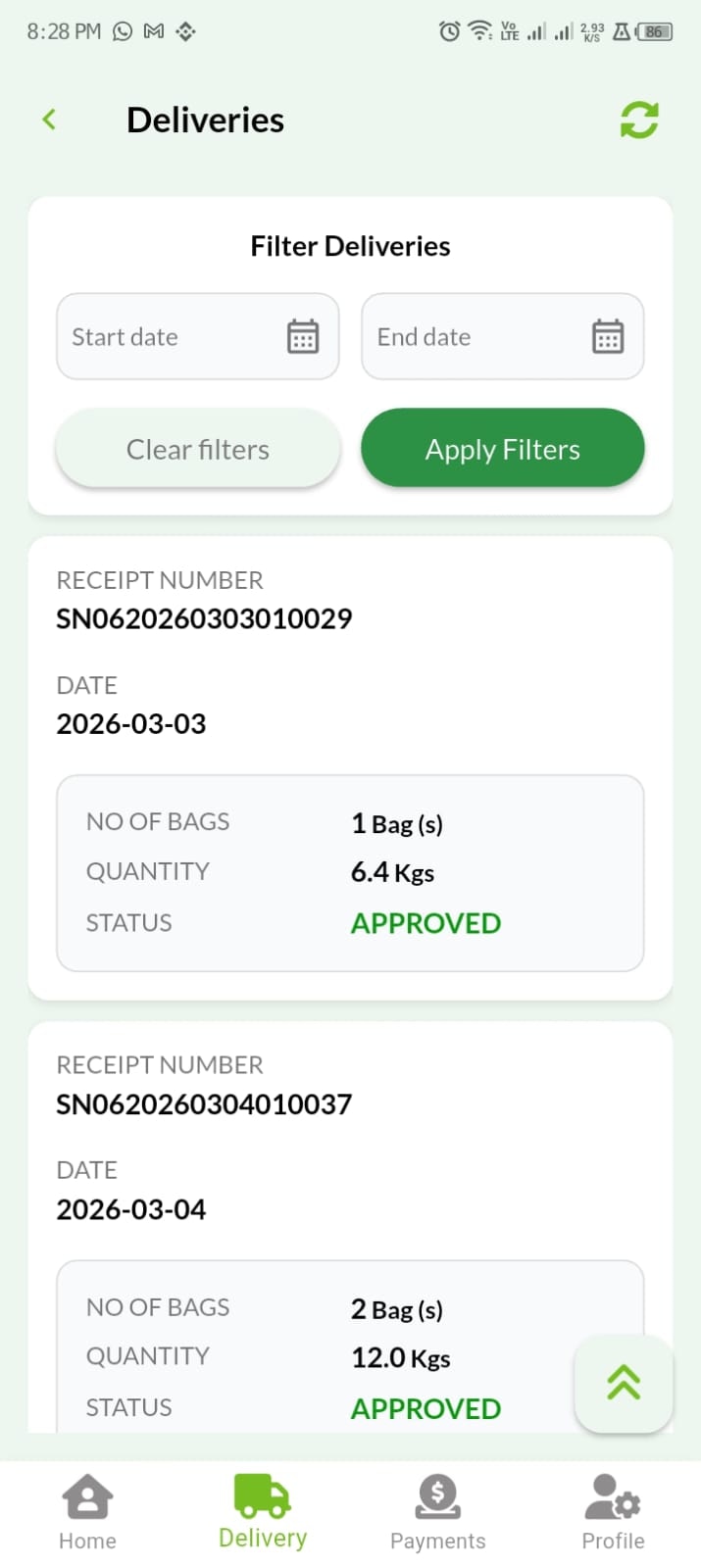
Upon a successful API response, the dashboard automatically populates with the **Current Month's** delivery data.
**Network Resilience (The Refresh Button):** If the API takes too long to respond due to server cold-starts or poor network connectivity, a **Refresh 🔄** button becomes active. Tapping this manually re-triggers the data request without requiring the user to leave the page. It is located at the top right of the screen.
***
## Interactive Daily Breakdowns
We believe in absolute transparency. The initial view provides a macro-summary of each day, but users can dig deeper.
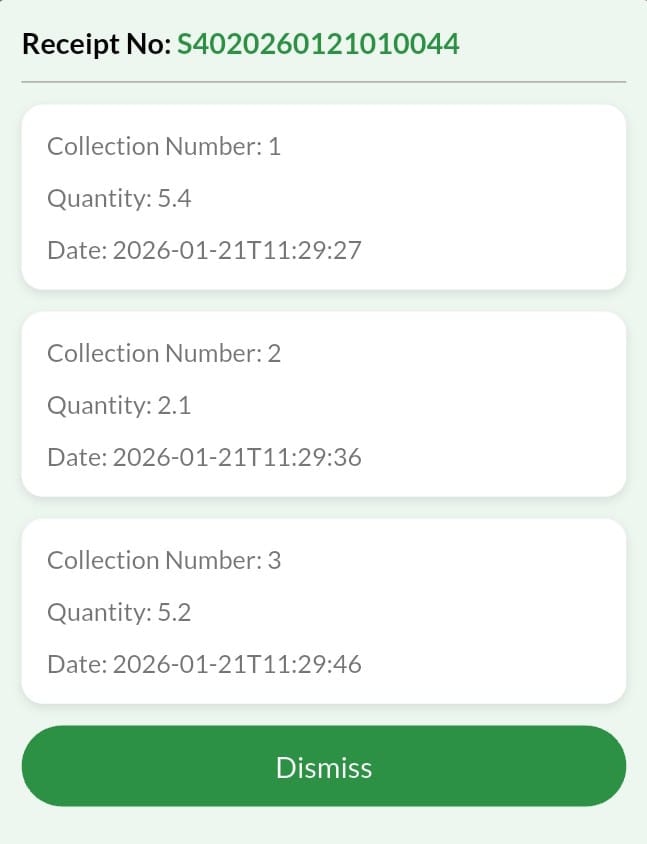
**The Tap Interaction:** By tapping on any specific daily delivery card, a detailed breakdown modal slides up.
If a farmer delivered 20 bags on Tuesday, the breakdown will explicitly detail:
* The exact time each individual bag was weighed.
* The exact kilogram weight of every single bag.
* The receipt number containing all the bags.
***
## Advanced Time Filtering & AI Summaries
Farmers are not restricted to the current month; they can traverse their entire historical database using the robust filtering engine.
### Date Range Filtering 📊
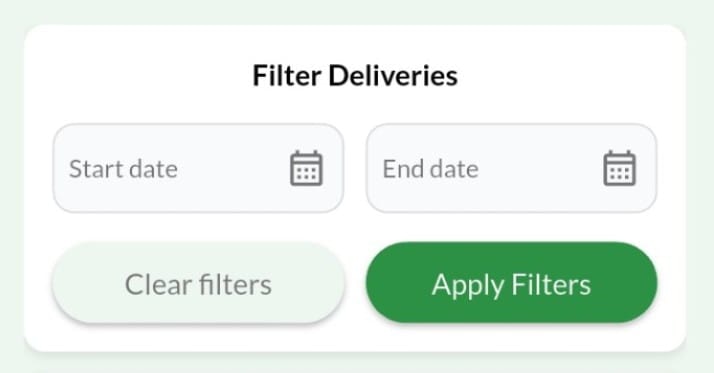
Users can select a custom `Start Date` and `End Date`.
* **Manual Execution:** The data does not auto-refresh. The user must explicitly tap the **"Filter"** button to execute the new API call, saving their mobile data bandwidth.
* **Reset Function:** A quick "Reset Filters" button instantly returns the view to the current month.
***
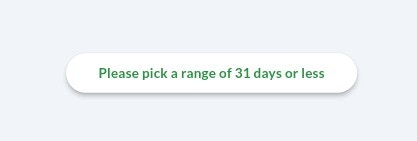
**The 31-Day Query Limit:** To maintain lightning-fast API response times, the system restricts queries to a maximum of 31 days. If a user selects a range spanning 45 days, the app instantly throws a stylized warning prompt: *"Please select a date range of 31 days or less."*
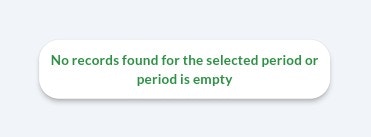
**Empty States (No Records Found):** If the API returns a `200 OK` status but the data array is empty (meaning the farmer made zero deliveries in that selected timeframe), the app gracefully handles the null response. Instead of a blank screen or an error, it displays a friendly "No Records Found" illustration, preventing user confusion.
***
### AI Auto-Summary Statistics ✨
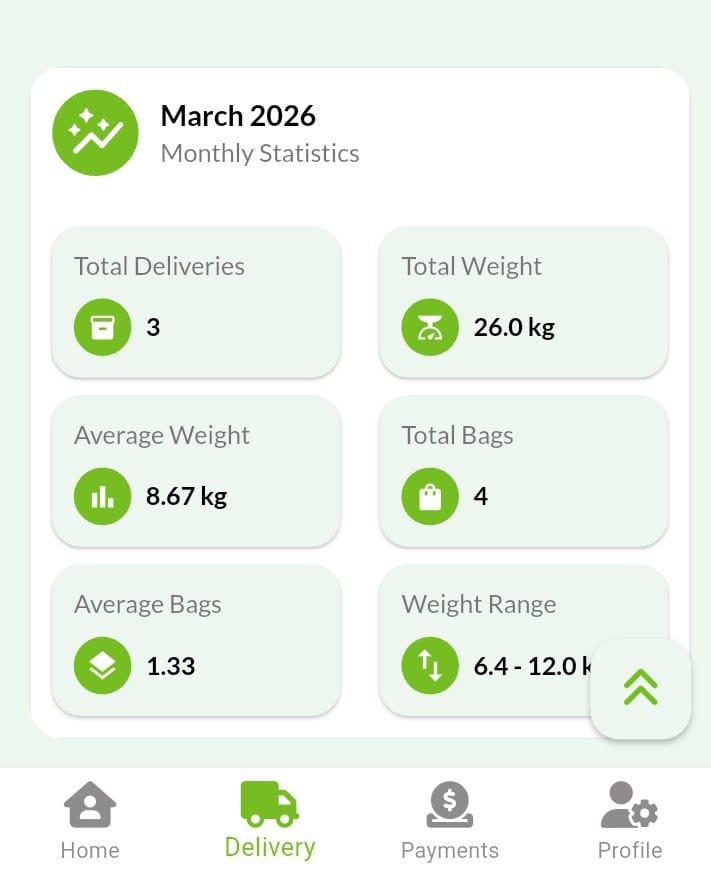
Once a date range is loaded, the integrated **Sasini AI** instantly analyzes the dataset and generates a top-level statistics card.
**Metrics Calculated:**
* 📦 Total Deliveries Count
* 🧺 Total Bags Delivered
* ⚖️ Total Cumulative Weight (Kgs)
* 📊 Average Weight per Bag
* 📈 Daily Average Delivery
* 🎯 Range of Kgs (Highest vs. Lowest performing days)
***
## Quality of Life Features
**The Quick-Scroll Floating Action Button (FAB)**
When browsing through a heavy month of daily deliveries, scrolling back to the top to change the filter can be tedious. We implemented a floating action button (⇪) pinned to the bottom right of the screen. **One tap instantly auto-scrolls the user smoothly to the very top of the dashboard.**